Developer Tips
Quality of life tips for working with ProtoMotions.
Testing Simulator Setup
Use random_pose_visualizer.py to verify a robot loads correctly:
python examples/random_pose_visualizer.py \
    --robot g1 \
    --simulator isaacgym
This sets random joint poses with zero gravity and zero torque. The robot should be able to hold its reset pose (press R key to reset).
This is the first thing to test when adding a new robot or a new simulator backend.
Comparing Motion Libraries
Use motion_libs_visualizer.py to compare ground truth vs learned motions:
python examples/motion_libs_visualizer.py \
    --motion_files gt_motions.pt predicted_motions.pt \
    --robot g1 \
    --simulator isaacgym
Features:
Side-by-side playback
Yellow markers highlight jittery body parts (high normalized jerk)
Purple markers highlight contact points with the ground
Smoothness metrics (normalized jerk, oscillation index)
Adjustable playback speed
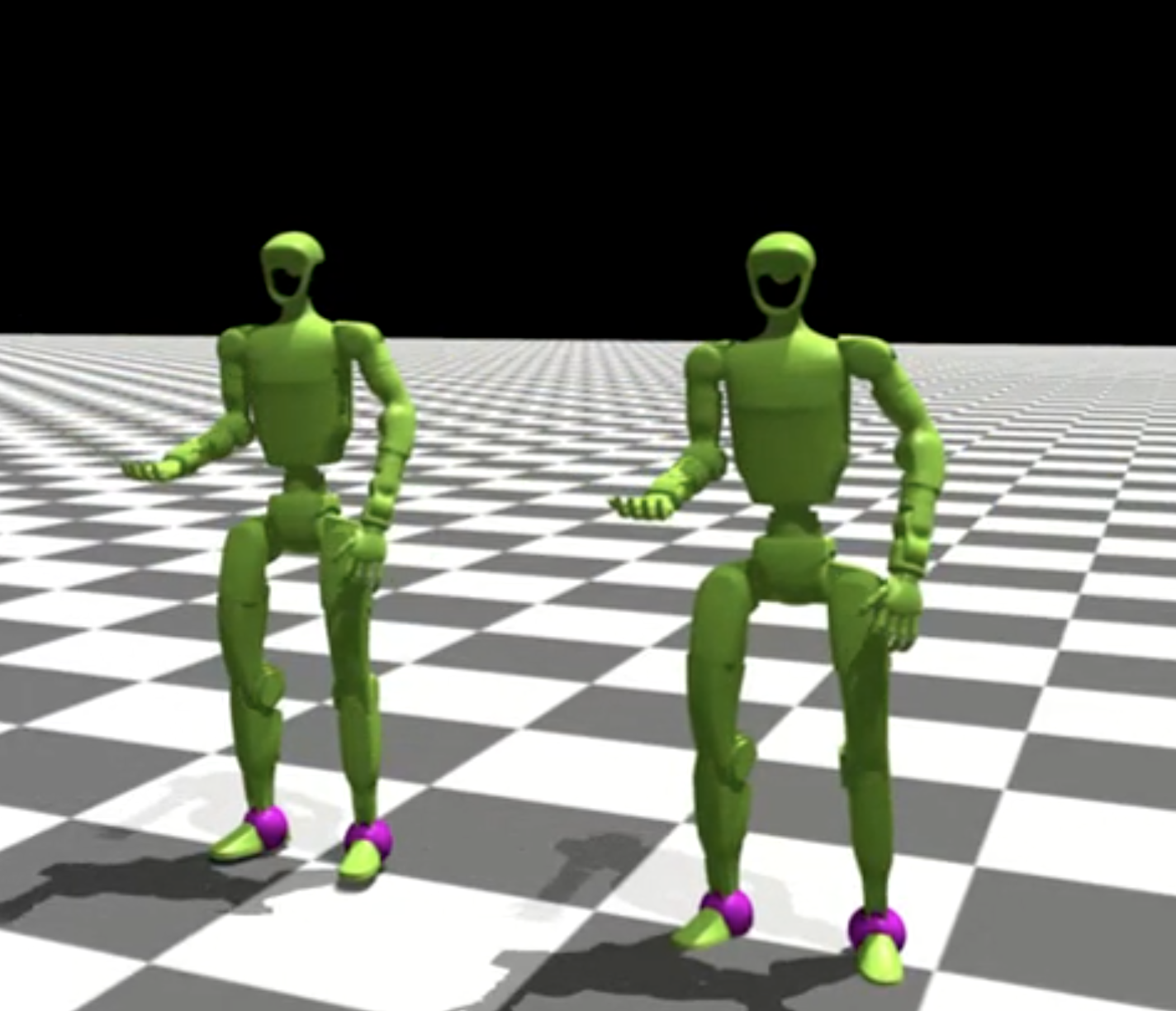
Saving predicted motions:
Run inference in full-eval mode to save the predicted motion library:
python protomotions/inference_agent.py \
    --checkpoint results/my_exp/last.ckpt \
    --simulator isaacgym \
    --full-eval \
    --headless \
    --num-envs 1024
Understanding Prioritized Sampling
Motion imitation uses prioritized sampling to focus on harder motions:
How it works:
Evaluator periodically runs full evaluation on all motions
Computes success rate for each motion
Assigns higher sampling weight to failed/difficult motions
Training samples more from difficult cases
Where this is done in code:
def update_motion_sampling_weights(self, metrics: Dict[str, MotionMetrics]):
    """
    Update motion sampling weights based on success/failure rates.
    """
    pass
Symptoms:
Train/episode_rewarddrops a bit
What’s actually happening:
Training is now focusing on harder motions. The policy hasn’t gotten worse - it’s practicing more difficult cases.
What to monitor:
Eval/gt_err- Unbiased position error (evaluates all motions equally)Eval/success_rate- Unbiased success rate
These eval metrics don’t use prioritized sampling and give true performance.
Train Agent Modes
train_agent.py has three modes:
1. Fresh Start:
New experiment name → build configs from experiment file
python protomotions/train_agent.py \
    --experiment-name new_experiment \
    ...
2. Resume:
Same experiment name with existing checkpoint → load exact saved configs
# First run
python protomotions/train_agent.py --experiment-name my_exp ...

# Resume (uses saved configs, ignores CLI overrides!)
python protomotions/train_agent.py --experiment-name my_exp ...
Warning
CLI overrides (--overrides) are ignored during resume. The system
uses exactly the saved configs from the first run.
3. Warm Start:
--checkpoint with new experiment name → old weights, new configs
python protomotions/train_agent.py \
    --experiment-name new_exp_with_changes \
    --checkpoint results/old_exp/last.ckpt \
    ...
Create Config Only Mode
Generate configs without training:
python protomotions/train_agent.py \
    --experiment-name migration_test \
    ... \
    --create-config-only
Useful for:
Migrating old checkpoints when config APIs change
Verifying configs before long training runs
Debugging config composition
Kinematic Playback for Debugging
Test motion + scene alignment without physics:
python examples/env_kinematic_playback.py \
    --experiment-path examples/experiments/mimic/mlp.py \
    --motion-file my_motions.pt \
    --robot-name g1 \
    --simulator isaacgym \
    --scenes-file my_scenes.pt
This plays motions kinematically (sets poses directly, no simulation). Use to verify:
Motion data is correct
Scene objects are positioned correctly
Retargeting didn’t break anything